
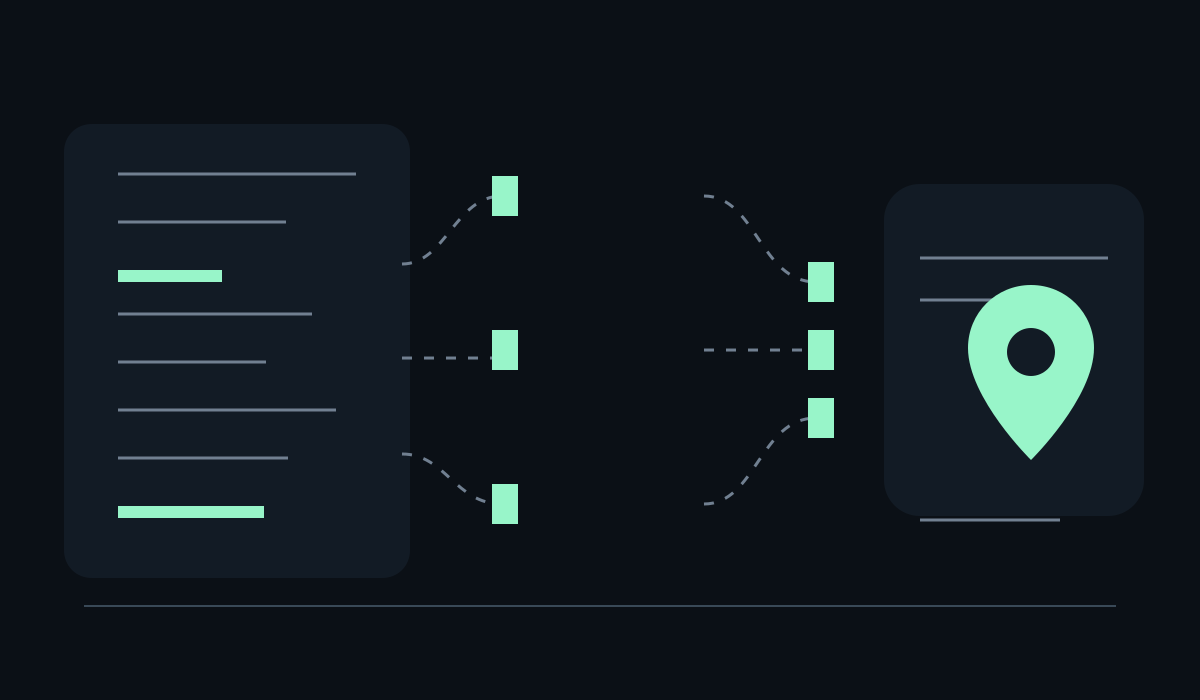
If someone asks an AI agent to understand your company, the agent has to find a small set of pages before it can answer well. A navigation menu, sitemap and search endpoint may contain the answer, but they make the client reconstruct your information architecture first.
llms.txt is a proposed Markdown convention for giving that client a short,
curated map of the site. The useful version is a maintained index of the pages
that explain the product, documentation, policies and contact path. If a buyer
asks an agent to compare two vendors, the file can point it toward the pages a
product owner would want read first; the linked pages still carry the evidence
and the search engine still uses its ordinary crawlable sources.
The short answer: a curated context map
The llms.txt proposal describes a
well-known Markdown file, normally available at /llms.txt, with a concise
introduction followed by grouped links. A typical file might contain:
# Example Tools

> Read-only analytics tools for product teams.

Example Tools publishes browser and API documentation for its analytics
workspace. The pages below are the shortest path to the product's capabilities,
limits and support process.

## Docs

- [Getting started](https://example.com/docs/start): Connect a workspace and run
  a first report.
- [API reference](https://example.com/docs/api): Endpoints, authentication and
  rate limits.

## Policies

- [Security](https://example.com/security): Data handling and account controls.
The format is deliberately plain. A compatible client can fetch one predictable URL and receive a human-readable overview without parsing a JavaScript app or guessing which links matter. The proposal is community-driven, however, so publishers should treat adoption as an interoperability experiment. It has not become an official web standard.
What it can help with
llms.txt can reduce the amount of site navigation an experimental agent has to
do. That is the claim. The supporting observation is the file’s shape: one short
introduction, section headings and links with descriptions. The condition is
that the consuming client actually requests the convention and that the linked
pages are public, current and understandable on their own. A file cannot repair
a missing pricing page, an inaccessible document or a vague product description.
It is most useful when a site has a real information hierarchy that is hard to summarise from the homepage alone:
- a documentation site with several versions or product areas;
- a SaaS product with separate capability, security and support pages;
- a research or services site where a few durable essays carry the argument;
- a company publishing both human-facing pages and machine-facing endpoints.
For a small brochure site, a careful navigation structure may already solve the same problem. Adding a file only because it is fashionable creates another thing to review without giving a client more reliable context.
What it does not do
Google’s
current guidance for generative AI features
says publishers do not need special AI text files or Markdown to appear in
Google Search or its generative features. Google also says those files neither
help nor harm its visibility and ranking systems. That is a narrower and more
useful statement than the claim that llms.txt is “good for SEO”.
The distinction matters because three different consumers are often mixed together:
| Consumer | Useful source of truth | What llms.txt changes |
|---|---|---|
| Search crawler | Crawlable HTML, links, sitemap and structured data | Nothing by itself |
| Experimental AI client | Public pages and any conventions it chooses to read | Offers a concise starting map |
| Human buyer | Clear pages, evidence, navigation and contact path | Makes a hand-picked reading list visible |
The file does not guarantee citations, inclusion in an answer, referral traffic, indexing, rankings or correct agent decisions. Those outcomes depend on the client, the content, access controls and the quality of the linked pages. Measure the file as an operational asset—availability, freshness and useful referrals—operational signals that do not establish a ranking factor.
This is also why llms.txt belongs alongside other discovery layers. Use a
sitemap to enumerate indexable URLs, Schema.org to describe entities where it is
appropriate, and a product capability manifest such as
ai-catalog.json when you need to describe agent-facing
resources. If the task is in-page interaction, WebMCP
is a different layer: it exposes tools in the active browser page; llms.txt
lists documents and other public pages.
The maintenance rule: generate it from canonical content
The strongest implementation detail is the maintenance boundary, not the file extension.
Keep the title, URL and one-sentence description for each entry in the same content collection or configuration that owns the page. Generate the Markdown file during the site build or deploy, then check the result in CI. This creates a practical claim: the index is derived from the site data. The condition is that the generator filters drafts, private routes and retired pages correctly; otherwise automation can publish stale or restricted links faster than a human would.
At minimum, test these properties:
GET /llms.txtreturns the canonical host’s file with a successful response.- Every link points to an intended public URL and does not redirect to a login.
- The introduction identifies the organisation and the scope of the file.
- Section headings follow the way a reader would choose a page; keep internal database categories out of the public file.
- Descriptions state what a page contains and avoid repeating a brand claim.
- Removed pages disappear from the generated output in the same release.
This site follows that pattern in its /llms.txt route: the evergreen pages,
services and selected blog entries are assembled from existing translations and
content collections. That makes the route a useful implementation example, not
evidence that every site needs the same number of sections or links.
How to write entries that agents can use
Write for a reader who needs to choose the next page. “Resources for modern teams” is a label; “API reference for authentication, pagination and rate limits” helps a client decide whether to fetch the page.
Prefer one stable URL per idea. Omit filters, tag archives and date variants unless a reader needs them. A shorter map is easier to inspect, cheaper to put into context and less likely to preserve a stale route.
Keep important qualifications in the description or on the linked page. If a tool is read-only, say so. If documentation covers one product version, name the version. If a service is available only in one region, state the boundary. The file should help a client choose the right page, not increase the page count.
Finally, keep the prose ordinary. A useful file does not need phrases such as “unlock the future of AI-powered discovery”. It needs a clear scope, stable links and descriptions that a product owner would still approve after the next release. For a broader measurement framework, see our guide to SEO and GEO, and use the site’s method page to separate what can be observed from what is only hypothesised.
A small launch checklist
Before publishing, ask:
- Is the proposal useful for a real reader or client workflow on this site?
- Does every link lead to a current, public, canonical page?
- Could the file be generated from the same source as the pages it describes?
- Does the copy name limitations instead of implying a search or citation guarantee?
- Will someone know who owns the file and when it should be reviewed?
If the answers are yes, ship it as a low-cost context layer and monitor whether people or compatible clients actually use it. If the answers are no, improve the underlying information architecture first. A polished index of confusing pages is still confusing.
Resources
- The llms.txt proposal: community proposal and examples for the file format.
- llmstxt.org: the proposal’s public landing page and current discussion of the convention.
- Google’s guide to generative AI features: Google’s guidance on special AI files, technical SEO and useful content.
- AI Catalog for agent discovery: a related article on describing callable agent capabilities while this guide focuses on documents.
- WebMCP explained: a related article on structured tools exposed by an active web page.